First time at MonkeyTaco? This post builds on Part 9 — Your Robot on a Schedule. You don’t need to read it first — but the combined Nurse Call + Scheduler code we upgrade here will make more sense with that context.
Something has been slightly off about our robot from the beginning — and it took eleven posts to notice it.
Every alert, every reminder, every greeting we’ve heard so far has been a pre-recorded .mp3 file. A human recorded “Hello, welcome to MonkeyTaco.” A human recorded “Time to take your medication.” We played those files back at the right moments and called it a robot voice.
That’s not a robot voice. That’s a jukebox.
A real robot voice should be able to say anything — dynamically, in real time, with information that changes. Not “Time to take your medication” from a fixed recording, but “Patient A, your 12:00 dose is due — you last took medication at 8:15 this morning.” Not a stored greeting, but a response generated on the spot based on what the robot actually knows.
That’s what Text-to-Speech gives us. And it costs exactly as much as the rest of this blog: nothing.
The Library: pyttsx3
pyttsx3 is a Python text-to-speech library that works entirely offline — no API key, no internet connection, no subscription. It uses the speech engine built into your operating system (SAPI5 on Windows, NSSpeechSynthesizer on macOS, espeak on Linux).
Install it:
pip install pyttsx3The simplest possible test — three lines:
import pyttsx3

engine = pyttsx3.init()
engine.say("Hello. This is your robot speaking.")
engine.runAndWait()
Run this. Your laptop will speak. That’s it.
Customizing the Voice
Before integrating TTS into our main system, it’s worth spending a few minutes tuning the voice. Three properties matter most:
import pyttsx3

engine = pyttsx3.init()

# Speech rate — default is usually 200 (words per minute)
# 150 is clearer for alerts; 120 is very deliberate
engine.setProperty('rate', 150)

# Volume — 0.0 to 1.0
engine.setProperty('volume', 0.95)

# Voice — list available voices first
voices = engine.getProperty('voices')
for i, voice in enumerate(voices):
    print(f"{i}: {voice.name} — {voice.id}")

# Then set by index — 0 is usually male, 1 is usually female
# (varies by OS and installed voices)
engine.setProperty('voice', voices[0].id)

engine.say("Patient A, your 12 o'clock medication is due.")
engine.runAndWait()
Run this first to see what voices are available on your system. Windows typically has 2–3 options. macOS has more. Linux depends on what’s installed.
The Problem With runAndWait()
Here’s the critical thing to understand about pyttsx3 before combining it with anything else.
engine.runAndWait() blocks. It doesn’t return until the speech is completely finished. For a standalone script that just speaks and exits, this is fine. For a camera loop running at 30 frames per second, this is a disaster — the camera freezes for the entire duration of the speech, every single time the robot says anything.
There’s also a conflict with pygame: both libraries want to control audio output, and they don’t always cooperate gracefully when initialized in the same process.
The solution to both problems is the same: run TTS in a separate thread.
import threading
import pyttsx3

def speak(text, rate=150):
    """
    Speak text in a background thread.
    Creates a fresh engine instance each time to avoid pygame conflicts.
    Returns immediately — does not block the main loop.
    """
    def _speak():
        engine = pyttsx3.init()
        engine.setProperty('rate', rate)
        engine.say(text)
        engine.runAndWait()
        engine.stop()

    thread = threading.Thread(target=_speak, daemon=True)
    thread.start()
Call speak("anything") and it returns immediately. The speech happens in the background while the camera loop keeps running at full speed. The daemon=True means the thread cleans itself up automatically when it’s done.
Three Bugs in the Naive Approach
When first combining pyttsx3 with the Nurse Call system, it’s tempting to write something like this:
# DON'T DO THIS
engine = pyttsx3.init()
REMINDER_SOUND = engine.say("Time to take medication")  # Bug 1
...
engine.runAndWait()  # Bug 2 — placed before main loop
Three problems with this approach:
Bug 1: engine.say() returns None engine.say() queues text for speech — it doesn’t return a sound object. So REMINDER_SOUND = engine.say(...) sets REMINDER_SOUND to None. Every subsequent call to play_audio(REMINDER_SOUND) tries to load None as a filename and crashes.
Bug 2: engine.runAndWait() before the main loop Placing runAndWait() before the while True: loop means the speech fires once at startup — right when the program opens, before the camera is even running — and then never again.
Bug 3: Blocking the camera loop Even if the placement was correct, calling engine.runAndWait() inside the main loop freezes the camera for the duration of every spoken message. At 30fps, even a two-second reminder means 60 dropped frames.
The thread-based speak() function above fixes all three.
The Upgraded Code
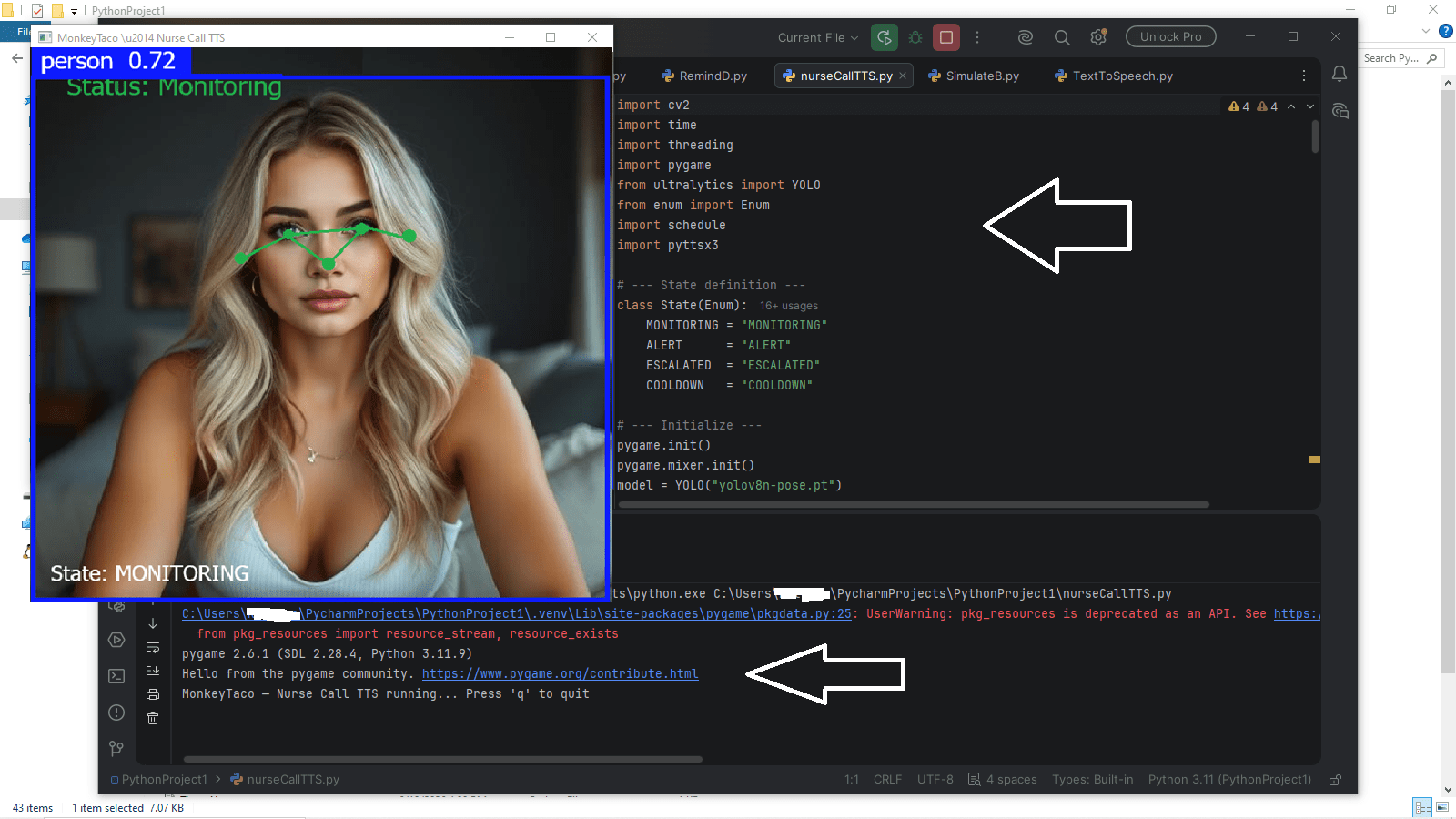
This is the full Nurse Call + Scheduler system from Post 9, with .mp3 reminders replaced by live TTS. The ALERT sound still uses pygame (for the alarm tone), but all spoken messages now come from pyttsx3 running in background threads.
Create a new file called nurseCallTTS.py:
import cv2
import time
import threading
import pygame
from ultralytics import YOLO
from enum import Enum
import schedule
import pyttsx3

# --- State definition ---
class State(Enum):
    MONITORING = "MONITORING"
    ALERT      = "ALERT"
    ESCALATED  = "ESCALATED"
    COOLDOWN   = "COOLDOWN"

# --- Initialize ---
pygame.init()
pygame.mixer.init()
model = YOLO("yolov8n-pose.pt")

# --- Settings ---
REMINDER_INTERVAL = 1             # Minutes between medication reminders
ALERT_SOUND       = "alarm.mp3"   # Keep alarm as .mp3 for immediate impact
CONFIDENCE        = 0.5
RAISE_MARGIN      = 0.05
COOLDOWN_SECS     = 4.0
ESCALATE_SECS     = 30.0
TTS_RATE          = 150           # Words per minute — adjust to taste

LEFT_SHOULDER  = 5
RIGHT_SHOULDER = 6
LEFT_WRIST     = 9
RIGHT_WRIST    = 10

cap = cv2.VideoCapture(0)
if not cap.isOpened():
    print("Cannot open webcam")
    exit()

current_state    = State.MONITORING
state_start_time = time.time()
reminder_text    = ""
reminder_timer   = 0


# ── TTS: speak in background thread, never blocks main loop ──────────
def speak(text, rate=TTS_RATE):
    """Generate and speak text without blocking the camera loop."""
    def _speak():
        try:
            tts = pyttsx3.init()
            tts.setProperty('rate', rate)
            tts.say(text)
            tts.runAndWait()
            tts.stop()
        except Exception as e:
            print(f"[TTS ERROR] {e}")

    threading.Thread(target=_speak, daemon=True).start()


# ── Audio helpers ─────────────────────────────────────────────────────
def play_audio(sound_file):
    try:
        pygame.mixer.music.load(sound_file)
        pygame.mixer.music.play()
    except pygame.error as e:
        print(f"[AUDIO ERROR] {e}")


def stop_audio():
    try:
        pygame.mixer.music.stop()
    except pygame.error:
        pass


# ── Scheduled reminder ────────────────────────────────────────────────
def play_reminder():
    global reminder_text, reminder_timer
    if current_state == State.MONITORING:
        # Dynamic message — could include patient name, time, dose info
        speak("Medication reminder. Time to take your medication.")
        reminder_text  = "Medication reminder!"
        reminder_timer = 90
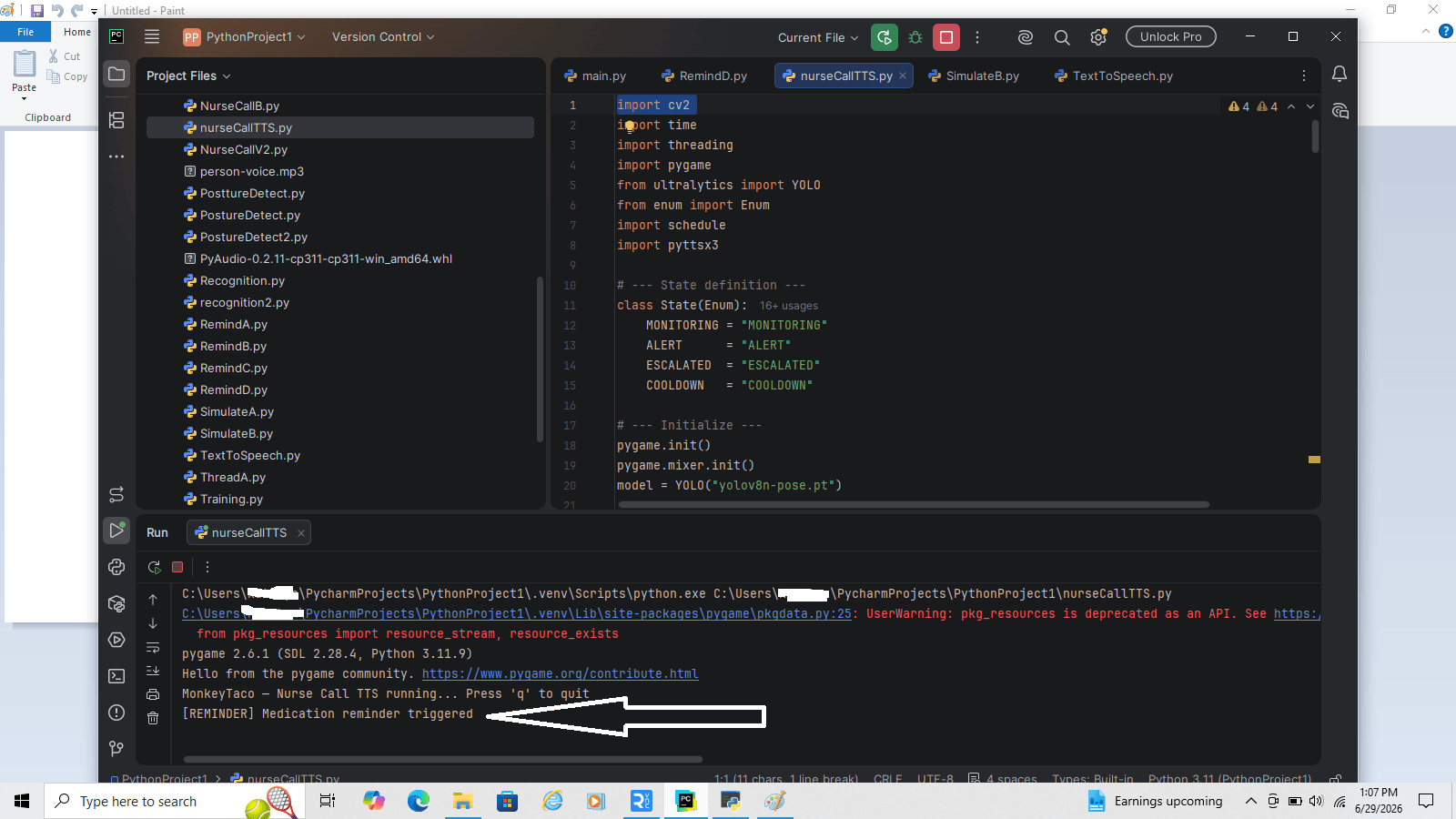
        print("[REMINDER] Medication reminder triggered")


# ── State machine helpers ─────────────────────────────────────────────
def transition_to(new_state):
    global current_state, state_start_time
    print(f"[STATE] {current_state.value} → {new_state.value}")
    current_state    = new_state
    state_start_time = time.time()


def time_in_state():
    return time.time() - state_start_time


def is_hand_raised(keypoints):
    l_shoulder = keypoints[LEFT_SHOULDER]
    r_shoulder = keypoints[RIGHT_SHOULDER]
    l_wrist    = keypoints[LEFT_WRIST]
    r_wrist    = keypoints[RIGHT_WRIST]
    if l_wrist[2] > CONFIDENCE and l_shoulder[2] > CONFIDENCE:
        if l_wrist[1] < (l_shoulder[1] - RAISE_MARGIN):
            return True
    if r_wrist[2] > CONFIDENCE and r_shoulder[2] > CONFIDENCE:
        if r_wrist[1] < (r_shoulder[1] - RAISE_MARGIN):
            return True
    return False


# Schedule reminder and announce startup
schedule.every(REMINDER_INTERVAL).minutes.do(play_reminder)
speak("MonkeyTaco patient monitoring system is now active.")

print("MonkeyTaco — Nurse Call TTS running... Press 'q' to quit")

# ── Main loop ─────────────────────────────────────────────────────────
while True:
    ret, frame = cap.read()
    if not ret:
        break

    schedule.run_pending()

    results = model(frame, verbose=False)
    hand_up = False

    if results[0].keypoints is not None and len(results[0].keypoints.data) > 0:
        for person_kp in results[0].keypoints.data.cpu().numpy():
            if is_hand_raised(person_kp):
                hand_up = True
                break

    # --- State machine ---
    if current_state == State.MONITORING:
        if hand_up:
            transition_to(State.ALERT)
            play_audio(ALERT_SOUND)
            speak("Nurse call detected. A patient requires assistance.")

    elif current_state == State.ALERT:
        if not hand_up:
            transition_to(State.COOLDOWN)
            stop_audio()
        elif time_in_state() > ESCALATE_SECS:
            transition_to(State.ESCALATED)
            speak("Escalation alert. Patient has been waiting over 30 seconds. "
                  "Immediate response required.")

    elif current_state == State.ESCALATED:
        if not hand_up:
            transition_to(State.COOLDOWN)
            stop_audio()

    elif current_state == State.COOLDOWN:
        if hand_up:
            transition_to(State.ALERT)
            play_audio(ALERT_SOUND)
            speak("Nurse call reactivated.")
        elif time_in_state() > COOLDOWN_SECS:
            transition_to(State.MONITORING)

    # --- Display ---
    annotated_frame = results[0].plot()
    elapsed = time_in_state()

    if current_state == State.MONITORING:
        color      = (0, 200, 0)
        label      = "Status: Monitoring"
        timer_text = ""
    elif current_state == State.ALERT:
        color      = (0, 0, 255)
        label      = "** NURSE CALL — HAND RAISED **"
        timer_text = (f"Alert active: {elapsed:.0f}s  |  "
                      f"Escalates in: {max(0, ESCALATE_SECS - elapsed):.0f}s")
    elif current_state == State.ESCALATED:
        color      = (0, 0, 200)
        label      = "!! ESCALATED — NO RESPONSE AFTER 30s !!"
        timer_text = f"Escalated for: {elapsed:.0f}s"
    elif current_state == State.COOLDOWN:
        color      = (0, 165, 255)
        label      = "Alert clearing..."
        timer_text = f"Returning to monitoring in: {max(0, COOLDOWN_SECS - elapsed):.1f}s"

    cv2.putText(annotated_frame, label,
                (30, 60), cv2.FONT_HERSHEY_SIMPLEX, 0.9, color, 2)
    if timer_text:
        cv2.putText(annotated_frame, timer_text,
                    (30, 100), cv2.FONT_HERSHEY_SIMPLEX, 0.65, color, 2)

    if reminder_timer > 0:
        cv2.putText(annotated_frame, reminder_text,
                    (30, 140), cv2.FONT_HERSHEY_SIMPLEX, 0.8, (0, 200, 255), 2)
        reminder_timer -= 1

    cv2.putText(annotated_frame, f"State: {current_state.value}",
                (30, annotated_frame.shape[0] - 20),
                cv2.FONT_HERSHEY_SIMPLEX, 0.6, (200, 200, 200), 1)

    cv2.imshow("MonkeyTaco — Nurse Call TTS", annotated_frame)

    if cv2.waitKey(1) & 0xFF == ord("q"):
        break

cap.release()
cv2.destroyAllWindows()
pygame.mixer.quit()
pygame.quit()
Hit Run. The system announces itself on startup: “MonkeyTaco patient monitoring system is now active.” Raise your hand — the alarm plays and the robot says “Nurse call detected. A patient requires assistance.” Hold it for 30 seconds — “Escalation alert. Patient has been waiting over 30 seconds. Immediate response required.”
Why Keep alarm.mp3 for Alerts?
You might wonder why we kept the .mp3 alarm tone for nurse call alerts instead of replacing it with TTS entirely.
Two reasons:
Speed: An alarm tone starts playing instantly. TTS has a small initialization delay — typically under a second, but enough to notice in an urgent situation. For the first moment of a nurse call, an immediate audio signal matters more than words.
Dual channel: The alarm grabs attention. The spoken message provides context. “BEEP BEEP BEEP — Nurse call detected, a patient requires assistance” is more useful than either alone. Same principle as a fire alarm (loud tone) followed by a PA announcement (spoken instructions).
In a real deployment, you’d tune this balance based on the environment — a quiet care home might use TTS only, a busy hospital floor might rely more heavily on the alarm tone.
What’s Next?
Our robot can now see, think, schedule, simulate, and speak. The one thing it still can’t do is listen.
Right now, triggering a nurse call requires raising a hand. What if the patient can’t raise their arm? What if they could simply say “nurse” or “help” — and the robot responds?
Part 12 — Speech Recognition: Your Robot Listens adds that capability, and sets up the final combination: a robot that both speaks and listens, completing the communication loop.
MonkeyTaco — Serious Robots. Zero Budget. Maximum Chaos.