First time at MonkeyTaco? This post builds on our earlier projects — particularly the YOLOv8-pose work from Part 4 and Part 5. You don’t need to read them first — but if something looks unfamiliar, those are great starting points.
Let’s talk about buttons.
Specifically, let’s talk about pressing the wrong one.
You’re drafting a breakup text, still undecided — and accidentally hit Send. You’re watching TV at midnight with the volume low, reach for the remote, and hit Play on something that immediately fills the apartment with noise. You’re in an elevator and press the alarm button instead of your floor.
Buttons get pressed wrong. It happens to everyone.
Now imagine you’re a patient in a hospital room. There are buttons everywhere — nurse call, bed controls, room lighting, emergency alarm, maybe a TV remote thrown in for chaos. You’re disoriented, exhausted, possibly dealing with impaired vision or shaky hands. You need the nurse. You reach out, and —
Wrong button.
This is not a hypothetical. It’s a documented, recurring problem in hospital settings. And it’s exactly the kind of friction that a camera-based, touchless system can eliminate entirely.
The Case for Touchless Nurse Call
A gesture-based nurse call system replaces the physical button with a camera and a simple hand signal. The patient raises their hand — the system detects it and sends the alert. Nothing to press. Nothing to miss. Nothing to accidentally trigger by rolling over in bed.
The benefits go beyond convenience:
For patients with limited mobility: Patients with arthritis, partial paralysis, or extreme fatigue may lack the grip strength or fine motor control to press a small button reliably. A raised hand — even a partial raise — is significantly easier.
For infection control: Hospital call buttons are high-touch surfaces with corresponding contamination risks. A touchless system eliminates that contact point entirely.
For patients who can’t speak: A patient with a throat injury, post-surgical intubation, or a condition affecting speech can still raise a hand to signal for help.
For reducing false alarms: Physical buttons get bumped accidentally. A gesture that requires intentional arm movement above shoulder height is far less likely to be triggered by a patient shifting in bed or adjusting blankets.
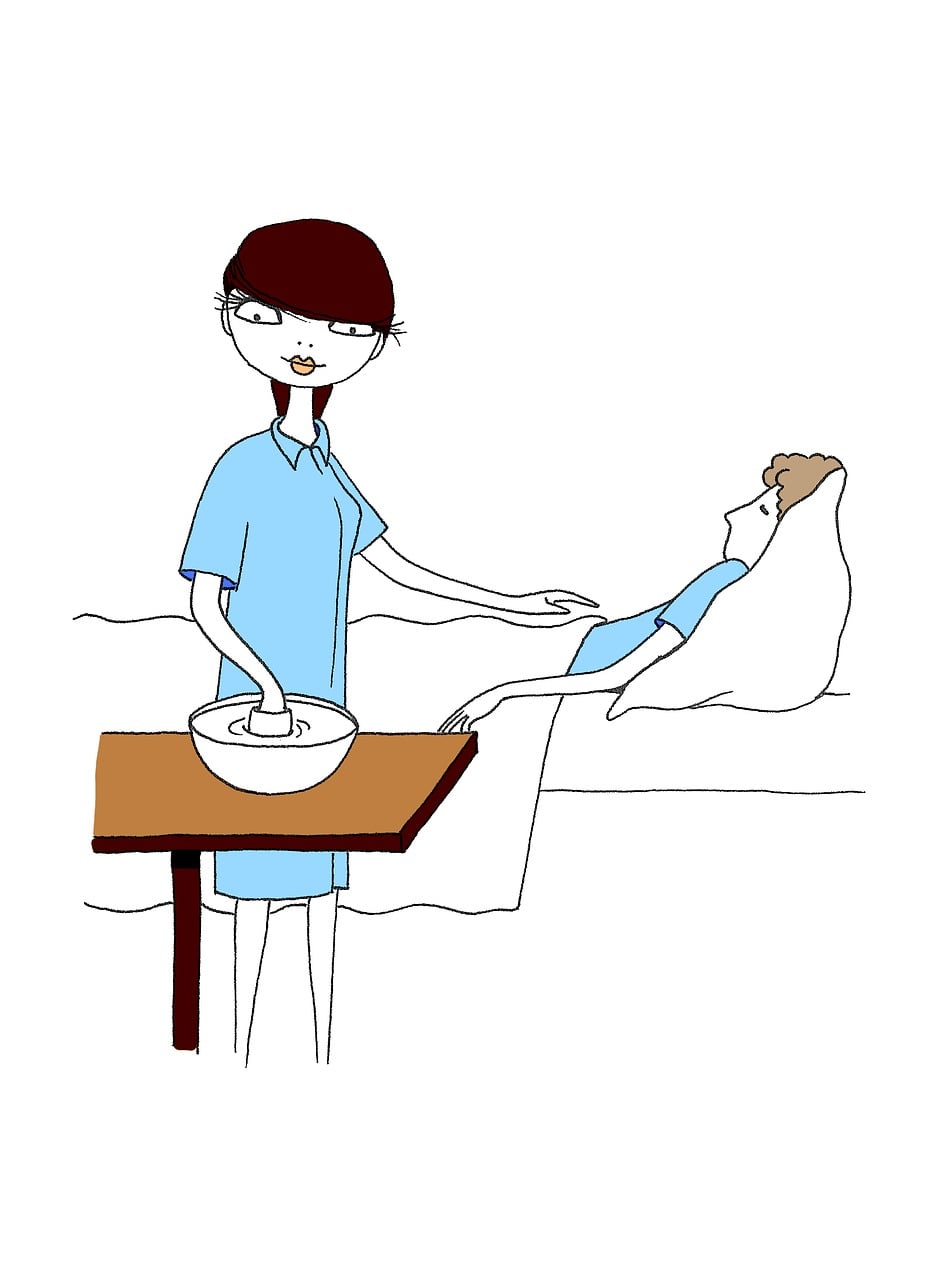
And for us — the people building this for under $0 in hardware costs — it’s a genuinely satisfying project that demonstrates a real clinical concept.
How It Works
The logic is straightforward:
If either wrist is detected clearly above the corresponding shoulder → raise the alarm.
We use “clearly above” deliberately. A margin of a few percent of the frame height prevents accidental triggers from small hand movements — scratching, adjusting, reaching for a glass of water. The hand needs to be meaningfully raised to trigger the alert.
The detection pipeline:
- YOLOv8-pose tracks the person’s body and returns 17 keypoints per frame
- We compare the vertical position of each wrist (keypoints 9 and 10) against the corresponding shoulder (keypoints 5 and 6)
- If a wrist is above a shoulder by more than the margin threshold — and confidence is sufficient — the alert triggers
- A cooldown timer keeps the alert active for a minimum window, preventing it from cutting out if the hand briefly drops
The Code
Install the required libraries if you haven’t already:
pip install opencv-python ultralytics pygame
Create a new Python file called nurseCall.py and paste in the following:
import cv2
import time
import pygame
from ultralytics import YOLO

# --- Initialize ---
pygame.mixer.init()
model = YOLO("yolov8n-pose.pt")

# --- Settings ---
ALERT_SOUND = "alarm.mp3"         # Replace with your alert audio file
CONFIDENCE_THRESHOLD = 0.5        # Minimum keypoint confidence to trust
RAISE_MARGIN = 0.05               # Wrist must be this far above shoulder (normalized)
                                  # 0.05 = ~5% of frame height — prevents accidental triggers
ALERT_COOLDOWN = 3.0              # Alert stays active for at least 3 seconds after hand drops

# Keypoint indices (YOLOv8 COCO pose format)
LEFT_SHOULDER  = 5
RIGHT_SHOULDER = 6
LEFT_WRIST     = 9
RIGHT_WRIST    = 10

cap = cv2.VideoCapture(0)
if not cap.isOpened():
    print("Cannot open webcam")
    exit()

last_trigger_time = 0
print("MonkeyTaco Nurse Call running... Raise your hand to trigger. Press 'q' to quit.")


def is_hand_raised(keypoints):
    """
    Returns True if either wrist is clearly above its corresponding shoulder.
    Uses a margin to avoid triggering on small incidental movements.
    """
    l_shoulder = keypoints[LEFT_SHOULDER]
    r_shoulder = keypoints[RIGHT_SHOULDER]
    l_wrist    = keypoints[LEFT_WRIST]
    r_wrist    = keypoints[RIGHT_WRIST]

    # Left hand check
    if l_wrist[2] > CONFIDENCE_THRESHOLD and l_shoulder[2] > CONFIDENCE_THRESHOLD:
        if l_wrist[1] < (l_shoulder[1] - RAISE_MARGIN):
            return True

    # Right hand check
    if r_wrist[2] > CONFIDENCE_THRESHOLD and r_shoulder[2] > CONFIDENCE_THRESHOLD:
        if r_wrist[1] < (r_shoulder[1] - RAISE_MARGIN):
            return True

    return False


while True:
    ret, frame = cap.read()
    if not ret:
        break

    results = model(frame, verbose=False)
    hand_raised = False

    if results[0].keypoints is not None and len(results[0].keypoints.data) > 0:
        for person_kp in results[0].keypoints.data.cpu().numpy():
            if is_hand_raised(person_kp):
                hand_raised = True
                break

    current_time = time.time()

    if hand_raised:
        last_trigger_time = current_time

    # Alert stays active during cooldown window even if hand drops briefly
    alert_active = (current_time - last_trigger_time) < ALERT_COOLDOWN

    annotated_frame = results[0].plot()

    if alert_active:
        cv2.putText(annotated_frame, "** NURSE CALL — HAND RAISED **",
                    (30, 80), cv2.FONT_HERSHEY_SIMPLEX, 1.0, (0, 0, 255), 3)
        cv2.putText(annotated_frame, "Alert sent to nursing station",
                    (30, 120), cv2.FONT_HERSHEY_SIMPLEX, 0.7, (0, 0, 255), 2)

        if not pygame.mixer.music.get_busy():
            pygame.mixer.music.load(ALERT_SOUND)
            pygame.mixer.music.play()

    else:
        cv2.putText(annotated_frame, "Status: Monitoring",
                    (30, 60), cv2.FONT_HERSHEY_SIMPLEX, 0.7, (0, 200, 0), 2)
        if pygame.mixer.music.get_busy():
            pygame.mixer.music.stop()

    cv2.imshow("MonkeyTaco — Nurse Call", annotated_frame)

    if cv2.waitKey(1) & 0xFF == ord("q"):
        break

cap.release()
cv2.destroyAllWindows()
pygame.mixer.quit()
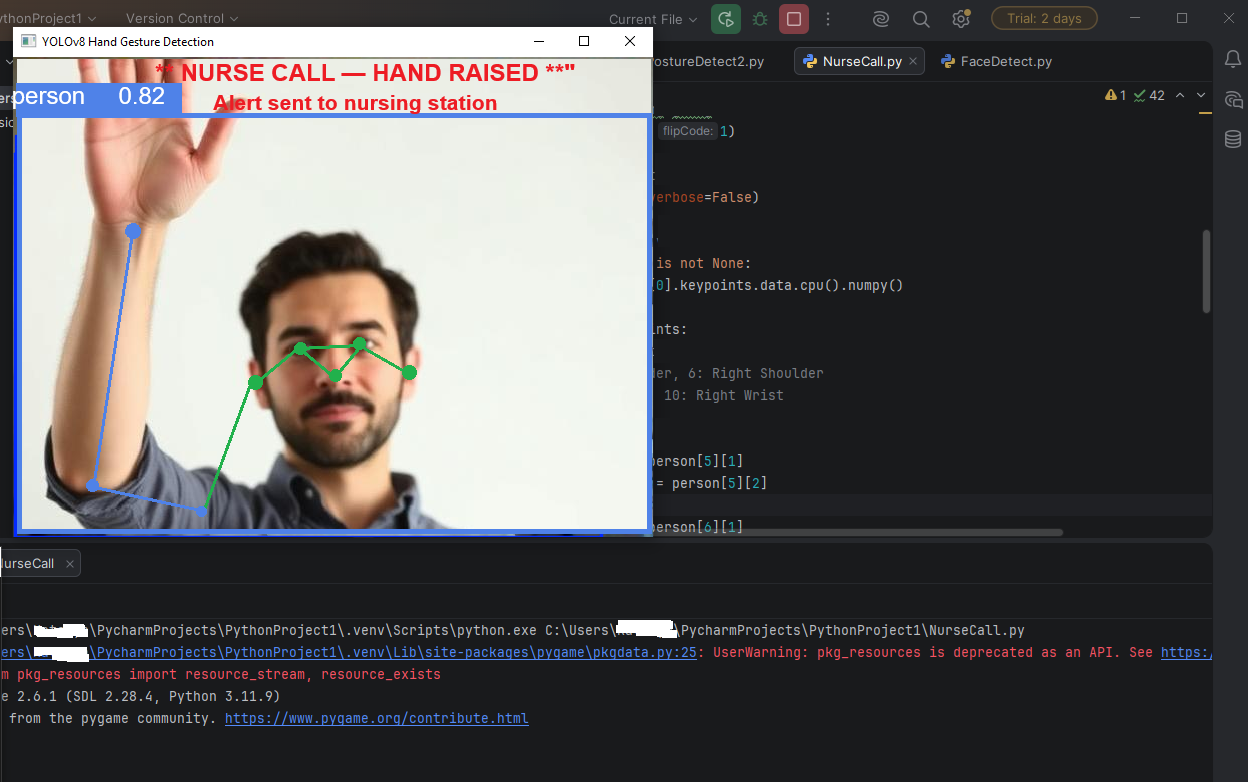
Hit Run. Sit in front of the webcam. Raise one hand above shoulder height — the red warning appears and the audio alert triggers.
Lower your hand — the alert stays active for 3 seconds (the cooldown window) before clearing. This prevents the alert from flickering on and off if the hand is held unsteadily.
Two Small Improvements Over the Basic Approach
If you’ve found similar code online, you may have noticed it typically stops the alert the instant the hand drops. Two problems with that:
Problem 1: Real hand raises aren’t perfectly steady. A patient holding their arm up will naturally have some wobble — the wrist crosses the shoulder threshold, drops briefly below it, rises again. Without a cooldown, the alarm stutters on and off with every wobble. Annoying and unreliable.
Problem 2: A wrist that’s just one pixel above the shoulder shouldn’t count. That’s noise, not intent. The RAISE_MARGIN parameter requires the wrist to be meaningfully above the shoulder — enough to represent a deliberate gesture, not an accidental one.
Both improvements are already in the code above. The cooldown and the margin are the two parameters most worth tuning for your specific setup.
Tuning for Your Setup
RAISE_MARGIN controls how deliberate the gesture needs to be. Start at 0.05 (about 5% of frame height). If you’re getting false triggers from normal arm movement, increase it to 0.08 or 0.10. If the system is missing genuine raises, lower it toward 0.03.
ALERT_COOLDOWN controls how long the alert stays active after the hand drops. 3.0 seconds is a reasonable default. For a real clinical setting, you’d want this longer — perhaps 10–30 seconds — to ensure staff have time to respond before the alert clears.
CONFIDENCE_THRESHOLD filters out uncertain keypoint detections. 0.5 works well in good lighting. In dimmer conditions, you may need to lower it to 0.4.
What This Is (And What It Isn’t)
This prototype demonstrates a real concept using the same underlying technology as commercial touchless call systems. What it doesn’t have:
- Network connectivity to actually notify a nursing station
- Multi-camera coverage for a full room
- Robustness testing across different lighting conditions, body positions, and edge cases
- Any of the regulatory compliance requirements for a real medical device
For learning and demonstration purposes, it does everything it needs to do. And the gap between this prototype and a deployable system is mostly engineering work, not a fundamental technical barrier.
What’s Next?
Everything we’ve built in Phase 1 runs on a single laptop webcam. No extra hardware. No cost beyond the laptop itself.
But there’s a concept we’ve been circling around in every post — one that shows up in every robotics project at some point — that we haven’t tackled directly yet: how does a robot actually make decisions?
Not just react, but reason. If this, then that. Unless something else. While keeping track of state.
Part 8 — How Robots “Think”: A Beginner’s Guide to Decision Logic breaks down the logic layer that sits between sensing and acting — and builds something concrete with it.
MonkeyTaco — Serious Robots. Zero Budget. Maximum Chaos.