First time at MonkeyTaco? This post builds on our previous three projects. You don’t need to read them first — but if something looks unfamiliar, start here.
Let’s talk about something that doesn’t make headlines but probably should.
Every year in the United States, more than 14 million older adults fall. Worldwide, that number is around 37 million. And here’s the part that makes it worse: over 50% of those falls are never reported. Not because nothing happened — but because people hide them. Fear of being a burden. Fear of losing independence. Fear that someone will take away their car keys or move them into a care facility.
The result: a fall happens, nobody knows, the person lies on the floor for hours, and by the time help arrives, the window for effective intervention has closed.
This is a real problem. And it’s exactly the kind of problem that robotics and computer vision are uniquely positioned to help with — not by replacing human care, but by quietly watching in the background and raising an alarm when something goes wrong.
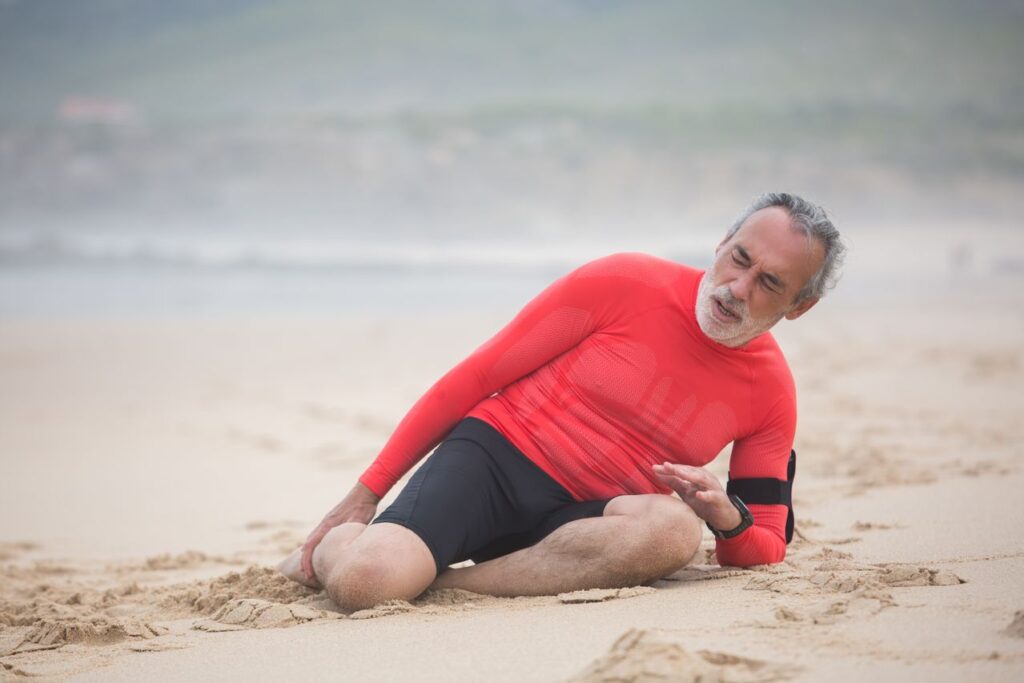
Today, we’re building a fall detection system. With a laptop webcam. For free.
Important note before we start: everything we build at MonkeyTaco is for learning and exploration. If you’re thinking about deploying any monitoring system in a real setting — especially involving elderly or vulnerable individuals — please take privacy, consent, and applicable regulations seriously. This is a prototype, not a medical device.
How Do You Actually Detect a Fall?
Before writing any code, let’s think through the problem the way an engineer would.
Your first instinct might be: “If the person was standing and now they’re not standing, that’s a fall.”
Which sounds reasonable, right up until you remember that people also: sit down in chairs, lie down for a nap, bend over to pick something up, do yoga, and occasionally crouch to look under the couch for a lost remote.
So “no longer standing” is too broad. We need something more specific.
Close your eyes for a moment and picture an elderly person suddenly losing their balance and falling. What actually happens?
They crumple. Their body folds in on itself — shoulders dropping rapidly toward their hips — and they collapse to the ground. It’s fast, it’s uncontrolled, and it produces a body position that’s genuinely unusual in everyday life.

That’s our clue.
When a person falls, the vertical distance between their shoulders and their hips shrinks dramatically. A standing person has shoulders well above their hips. A sitting person, somewhat above. A person in the middle of an uncontrolled fall — or already on the ground — has shoulders and hips at nearly the same height.
More precisely: we can calculate the angle of the torso relative to vertical. Standing upright, that angle is near zero. Lying on the ground, it approaches 90 degrees. Above about 50 degrees? Something unusual is happening.
That’s the entire detection logic. A few keypoints. A bit of trigonometry. One angle threshold.
A Quick Note on MediaPipe (And Why We’re Not Using It)
If you search for “fall detection Python tutorial” online, most results will use MediaPipe — Google’s open-source toolkit for real-time pose detection.
You may have already tried this. If so, you may have encountered a frustrating error:
AttributeError: module 'mediapipe' has no attribute 'solutions'
This isn’t a bug in your code. MediaPipe version 0.10 and above completely removed the solutions API — which is what virtually every tutorial online still uses. The old code simply doesn’t work with the new version.
The workaround is to downgrade to an older version. But that creates its own headaches — version conflicts, Python compatibility issues, and code that may stop working entirely the next time you update anything.
For this project, we’re going to skip MediaPipe entirely and use YOLOv8-pose instead. You already have the ultralytics library installed from our earlier posts. YOLOv8-pose uses the same familiar interface as the object detection model we’ve been using — and it detects 17 body keypoints per person with excellent accuracy.
One library, already installed, no version drama. Let’s move on.
How YOLOv8-Pose Works
The standard YOLOv8 model we’ve used so far draws bounding boxes — rectangles around detected objects. YOLOv8-pose does the same thing, but also maps 17 specific points on each person’s body:
| Point | Body Part |
|---|---|
| 0 | Nose |
| 5 | Left shoulder |
| 6 | Right shoulder |
| 11 | Left hip |
| 12 | Right hip |
| 15 | Left ankle |
| 16 | Right ankle |
For our fall detection, we care most about points 5, 6 (shoulders) and 11, 12 (hips). Everything else is bonus.
The Math (It’s Just One Formula)
Given the (x, y) coordinates of the shoulder midpoint and hip midpoint, we calculate the torso angle like this:
dy = vertical distance between shoulders and hips
dx = horizontal distance between shoulders and hips
angle = arctan(dx / dy)
When standing: dy is large, dx is small → angle near 0°
When fallen: dy is small, dx is large → angle near 90°
Threshold: if angle > 50°, raise the alarm
That’s it. No neural network training. No complex algorithms. Just geometry.
The Code
Create a new Python file in PyCharm — right-click your project folder, select New → Python File, and name it fallDetect.
import cv2
import math
import time
import pygame
from ultralytics import YOLO

# --- Initialize ---
pygame.mixer.init()
model = YOLO("yolov8n-pose.pt")  # Pose model — downloads automatically on first run

# --- Settings ---
SOUND_FILE = "welcome.mp3"        # Replace with your alert audio file
FALL_ANGLE_THRESHOLD = 50         # Degrees — above this = possible fall
MIN_KEYPOINT_CONFIDENCE = 0.3     # Ignore low-confidence keypoints
COOLDOWN_SECONDS = 5              # Minimum gap between alerts

# Keypoint indices (YOLOv8 COCO pose format)
LEFT_SHOULDER  = 5
RIGHT_SHOULDER = 6
LEFT_HIP       = 11
RIGHT_HIP      = 12

cap = cv2.VideoCapture(0)
if not cap.isOpened():
    print("Cannot open webcam")
    exit()

last_alert_time = 0
print("MonkeyTaco Fall Detector running... Press 'q' to quit")

def get_torso_angle(keypoints):
    """
    Calculate the torso angle from vertical.
    Standing upright = ~0 degrees
    Lying flat = ~90 degrees
    Returns (angle, is_valid) — is_valid=False if keypoints are unreliable
    """
    ls = keypoints[LEFT_SHOULDER]
    rs = keypoints[RIGHT_SHOULDER]
    lh = keypoints[LEFT_HIP]
    rh = keypoints[RIGHT_HIP]

    # Check confidence — if any key point is uncertain, skip this frame
    if min(ls[2], rs[2], lh[2], rh[2]) < MIN_KEYPOINT_CONFIDENCE:
        return 0, False

    shoulder_y = (ls[1] + rs[1]) / 2
    shoulder_x = (ls[0] + rs[0]) / 2
    hip_y      = (lh[1] + rh[1]) / 2
    hip_x      = (lh[0] + rh[0]) / 2

    dy = abs(shoulder_y - hip_y)
    dx = abs(shoulder_x - hip_x)

    angle = math.degrees(math.atan2(dx, dy + 1e-6))  # +1e-6 avoids division by zero
    return round(angle, 1), True


while True:
    ret, frame = cap.read()
    if not ret:
        break

    results = model(frame, verbose=False)
    fall_detected = False
    current_angle = 0

    for result in results:
        if result.keypoints is None:
            continue

        for person_keypoints in result.keypoints.data:
            kp = person_keypoints.cpu().numpy()  # shape: (17, 3) — x, y, confidence

            angle, valid = get_torso_angle(kp)
            if not valid:
                continue

            current_angle = angle
            if angle > FALL_ANGLE_THRESHOLD:
                fall_detected = True

    # Draw pose skeleton
    annotated_frame = results[0].plot()

    # Display torso angle on screen
    cv2.putText(annotated_frame, f"Torso angle: {current_angle:.1f} deg",
                (10, 50), cv2.FONT_HERSHEY_SIMPLEX, 0.8, (255, 255, 0), 2)

    # Fall warning
    if fall_detected:
        cv2.putText(annotated_frame, "** FALL DETECTED **",
                    (10, 100), cv2.FONT_HERSHEY_SIMPLEX, 1.2, (0, 0, 255), 3)

        current_time = time.time()
        if not pygame.mixer.music.get_busy() and (current_time - last_alert_time) > COOLDOWN_SECONDS:
            pygame.mixer.music.load(SOUND_FILE)
            pygame.mixer.music.play()
            last_alert_time = current_time
            print(f"ALERT: Fall detected! Torso angle = {current_angle:.1f} degrees")
    else:
        cv2.putText(annotated_frame, "Status: Normal",
                    (10, 100), cv2.FONT_HERSHEY_SIMPLEX, 0.8, (0, 255, 0), 2)

    cv2.imshow("MonkeyTaco — Fall Detector", annotated_frame)

    if cv2.waitKey(1) & 0xFF == ord("q"):
        break

cap.release()
cv2.destroyAllWindows()
Hit Run. The first time, YOLOv8-pose will automatically download the pose model file — this takes a moment, then it won’t need to download again.
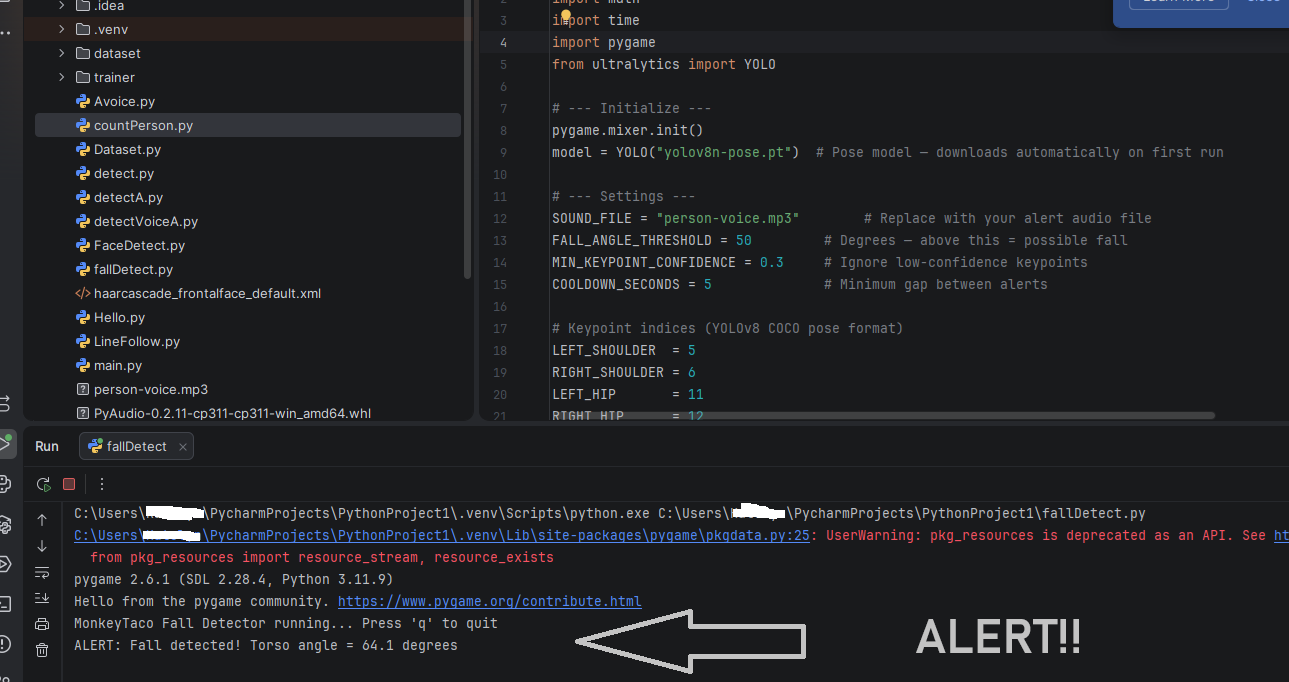
Stand in front of the webcam. You’ll see the skeleton overlay and a live torso angle reading. Now slowly lean forward until your torso goes past roughly 50 degrees — the red warning text appears.
Tuning the Threshold
FALL_ANGLE_THRESHOLD = 50 works well as a starting point, but you may want to adjust it based on your camera position and the specific scenarios you’re testing:
- Camera mounted high on a wall (common in care facilities): the angle calculation shifts — you may need to lower the threshold to 40 degrees
- Camera at desk level: 50 degrees works well
- Lots of false positives (normal bending triggers alerts): raise to 60 or 65 degrees
- Missing real falls: lower to 40 or 45 degrees
The torso angle display on screen makes tuning easy — watch what angle corresponds to normal activity vs. a genuine fall, then set your threshold just above the normal range.
What About the MediaPipe Version?
If you have mediapipe==0.10.21 or newer installed and still want to use it, the old mp.solutions.pose API is gone for good. The new API uses a completely different approach involving .task model files downloaded separately.
For our purposes — learning, experimenting, building things that actually work — YOLOv8-pose is the cleaner choice. It’s the same library we’ve been using since Post 1, and it handles pose detection without any version headaches.
What Just Happened?
We built a fall detection prototype that:
- Detects and tracks body keypoints in real time
- Calculates torso angle using basic trigonometry
- Raises an audio and visual alert when the angle suggests a fall
- Ignores low-confidence detections to reduce false alarms
- Costs exactly $0 in hardware
The same underlying approach — pose estimation plus threshold-based anomaly detection — is used in commercial fall detection products that sell for hundreds of dollars per unit. Our version has obvious limitations (single fixed camera, no multi-room coverage, no automated notifications). But the concept is real, and the code works.
What’s Next?
So far everything we’ve built reacts to what it sees — visual detection only. But what about detection that doesn’t require a camera at all?
In our next project, we’ll build a posture monitoring system using the same pose estimation approach — but focused on desk posture rather than falls. Same laptop. Still $0. Different problem, different angle calculations, and a use case that’s genuinely useful for anyone who spends long hours at a computer.
Part 5 — Your Robot’s First Medical Skill: Posture Monitoring is up next.
MonkeyTaco — Serious Robots. Zero Budget. Maximum Chaos.